Hiển thị các bài đăng có nhãn Security. Hiển thị tất cả bài đăng

Take Control of iPad Networking and Security


The basics of networking an iPad are simple, but once you move beyond connecting to a simple home Wi-Fi network or using 3G data, you’ll want to read networking expert Glenn Fleishman’s discussion of how to integrate your iPad into more-complex networks and keep its data safe from prying eyes. Along with advice about Wi-Fi, 3G, and Bluetooth networking, Glenn explains how to transfer documents to and from the iPad using a variety of apps and techniques, how to protect your data in transit and on the iPad itself, how you can control computers remotely from your iPad, and more.

Inside, you’ll find advice and steps for how to:

  • Make Wi-Fi connections: Connect via Wi-Fi at home or work, at a public hotspot, and with (or without) various forms of security. Glenn discusses the security pros and cons of MAC address filtering, WEP, WPA, WPA2, and VPNs.
  • Connect via 3G: This topic is most detailed in its discussions of AT&T’s plans in the United States, but it also takes a global perspective, with brief details about some data plans outside the United States and what to consider when traveling to a different country with your iPad. (For the latest on AT&T’s changing rate plans, check the Blog tab above and stay tuned for version 1.1.). You’ll also learn about connecting to a 3G network using alternative methods and devices.
  • Use Bluetooth: Connect Bluetooth devices, such as keyboards and headsets, to your iPad.
  • Access remote documents: You’ll learn how to access remote documents wirelessly and find steps for using a variety of file-sharing apps, including Air Sharing HD, GoodReader, Dropbox, and iDisk.
  • Control a computer remotely from an iPad: Use a third-party app on the iPad to take control of other computers remotely. Specific steps are given for iTeleport and LogMeIn Ignition.
  • Protect your data and privacy: Understand what aspects of your documents, passwords, and privacy could be at risk if the wrong person gained access to your iPad or its network communications. You’ll get ideas for how to take preventative actions, such as installing remote-tracking software, and you’ll find out how to proceed if you iPad is lost or stolen.

Download from: Ziddu | Hotfile

Take Control of iPad Networking and Security


The basics of networking an iPad are simple, but once you move beyond connecting to a simple home Wi-Fi network or using 3G data, you’ll want to read networking expert Glenn Fleishman’s discussion of how to integrate your iPad into more-complex networks and keep its data safe from prying eyes. Along with advice about Wi-Fi, 3G, and Bluetooth networking, Glenn explains how to transfer documents to and from the iPad using a variety of apps and techniques, how to protect your data in transit and on the iPad itself, how you can control computers remotely from your iPad, and more.

Inside, you’ll find advice and steps for how to:

  • Make Wi-Fi connections: Connect via Wi-Fi at home or work, at a public hotspot, and with (or without) various forms of security. Glenn discusses the security pros and cons of MAC address filtering, WEP, WPA, WPA2, and VPNs.
  • Connect via 3G: This topic is most detailed in its discussions of AT&T’s plans in the United States, but it also takes a global perspective, with brief details about some data plans outside the United States and what to consider when traveling to a different country with your iPad. (For the latest on AT&T’s changing rate plans, check the Blog tab above and stay tuned for version 1.1.). You’ll also learn about connecting to a 3G network using alternative methods and devices.
  • Use Bluetooth: Connect Bluetooth devices, such as keyboards and headsets, to your iPad.
  • Access remote documents: You’ll learn how to access remote documents wirelessly and find steps for using a variety of file-sharing apps, including Air Sharing HD, GoodReader, Dropbox, and iDisk.
  • Control a computer remotely from an iPad: Use a third-party app on the iPad to take control of other computers remotely. Specific steps are given for iTeleport and LogMeIn Ignition.
  • Protect your data and privacy: Understand what aspects of your documents, passwords, and privacy could be at risk if the wrong person gained access to your iPad or its network communications. You’ll get ideas for how to take preventative actions, such as installing remote-tracking software, and you’ll find out how to proceed if you iPad is lost or stolen.

Download from: Ziddu | Hotfile

Network Security: A Beginner's Guide


All companies rely on some security mechanisms to ensure their corporate privacy and information integrity. In many cases, the ability of the technician to explain a system's vulnerabilities to managers in order to acquire funding is as important as the technical skills to build the system. This book addresses a wide range of topics, from security basics to policies, practices, and practical solutions. Though intended for network administrators, this also acts as a good primer on security concepts for the lay computer user. A rock-solid resource for all libraries.

Download from: Ziddu | Hotfile | Mediafire

Network Security: A Beginner's Guide


All companies rely on some security mechanisms to ensure their corporate privacy and information integrity. In many cases, the ability of the technician to explain a system's vulnerabilities to managers in order to acquire funding is as important as the technical skills to build the system. This book addresses a wide range of topics, from security basics to policies, practices, and practical solutions. Though intended for network administrators, this also acts as a good primer on security concepts for the lay computer user. A rock-solid resource for all libraries.

Download from: Ziddu | Hotfile | Mediafire

Microsoft Windows Security Fundamentals: For Windows 2003 SP1 and R2


Since its release in 2003 the Microsoft Exchange server has had two important updates, SP1 and SP2. SP1, allows users to increase their security, reliability and simplify the administration of the program. Within SP1, Microsoft has implemented R2 which improves identity and access management across security-related boundaries. R2 also improves branch office server management and increases the efficiency of storage setup and management. The second update, SP2 minimizes spam, pop-ups and unwanted downloads. These two updated have added an enormous amount of programming security to the server software.

Download from: Ziddu | Hotfile | Mediafire

Microsoft Windows Security Fundamentals: For Windows 2003 SP1 and R2


Since its release in 2003 the Microsoft Exchange server has had two important updates, SP1 and SP2. SP1, allows users to increase their security, reliability and simplify the administration of the program. Within SP1, Microsoft has implemented R2 which improves identity and access management across security-related boundaries. R2 also improves branch office server management and increases the efficiency of storage setup and management. The second update, SP2 minimizes spam, pop-ups and unwanted downloads. These two updated have added an enormous amount of programming security to the server software.

Download from: Ziddu | Hotfile | Mediafire

Internet Security Dictionary


The explosive growth of the Internet, inherent flaws in its basic structure, and the need to transfer sensitive information for Internet applications like electronic mail, Internet banking and Internet commerce have resulted in serious security concerns. This dictionary provides authoritative definitions and descriptions of terms related to Internet security.

The Internet Security Dictionary details over 1,800 terms and covers eight main areas: * Authentication, including biometrics, encryption/public key infrastructure, digital signatures, time-stamping, and certificate management * Encryption * Network-level security, including IP, IPSec, SHTTP, and SSL * Firewalls and remote management * Internet security policies, risk analysis, integration across platforms, management and auditing * Mobile code security, Java/Active X/scripts, and mobile agent code * Virus protection and intrusion detection * Security in Internet commerce.

Download from: Ziddu | Hotfile | Mediafire

Internet Security Dictionary


The explosive growth of the Internet, inherent flaws in its basic structure, and the need to transfer sensitive information for Internet applications like electronic mail, Internet banking and Internet commerce have resulted in serious security concerns. This dictionary provides authoritative definitions and descriptions of terms related to Internet security.

The Internet Security Dictionary details over 1,800 terms and covers eight main areas: * Authentication, including biometrics, encryption/public key infrastructure, digital signatures, time-stamping, and certificate management * Encryption * Network-level security, including IP, IPSec, SHTTP, and SSL * Firewalls and remote management * Internet security policies, risk analysis, integration across platforms, management and auditing * Mobile code security, Java/Active X/scripts, and mobile agent code * Virus protection and intrusion detection * Security in Internet commerce.

Download from: Ziddu | Hotfile | Mediafire

Ebook Cracking For Newbie 2010

Khi bạn đọc được những dòng này thì bạn đã có trong tay cuốn ebook Cracking For Newbie 2010. Đây là cuốn ebook đầu tiên do tập thể BQT CiN1TeAm cùng tất cả thành viên trong diễn đàn đã góp nhặt bài viết từ thời sơ khai của CiN1 đến nay, là đúc kết những hiểu biết, kinh nghiệm, sự tìm tòi học hỏi không ngừng của team để đóng gói thành cuốn ebook này với mong muốn đem đến những hiểu biết cơ bản trong lĩnh vực Reverse Engineering (RE) cho tất cả những ai thích thú, đam mê lĩnh vực này.

Ebook Cracking For Newbie 2010 tập hợp những bài hướng dẫn (tutorial) từ giới thiệu những công cụ để RE, cách tạo patcher từ các công cụ như dUP, uPPP… cho đến những bài hướng dẫn patch, fishing, keygen… ngắn gọn, súc tích, trình bày đơn giản, dể hiểu, nội dung phù hợp với người mới bước chân vào lĩnh vực này. Và đó cũng chính là mục tiêu và mong muốn của BQT khi thực hiện ebook Cracking For Newbie 2010. Với những khó khăn về thời gian, nhân lực… tuy là hơi trễ hơn dự kiến, nhưng cuối cùng chúng tôi cũng đã hoàn thành ebook Cracking For Newbie 2010.

Đó là nhờ sự làm việc không ngừng nghỉ, tận tình, say mê của tất cả những thành viên trong diễn đàn, đặc biệt là anh em trong BQT. Thay mặt BQT xin gởi lời cảm ơn sâu sắc đến toàn thể các thành viên đã tích cực tham gia, đóng góp bài viết giúp cho diễn đàn ngày càng phát triển cũng như cho cuốn ebook này được thành công tốt đẹp!

Download from: Ziddu | Hotfile | Mediafire

Ebook Cracking For Newbie 2010

Khi bạn đọc được những dòng này thì bạn đã có trong tay cuốn ebook Cracking For Newbie 2010. Đây là cuốn ebook đầu tiên do tập thể BQT CiN1TeAm cùng tất cả thành viên trong diễn đàn đã góp nhặt bài viết từ thời sơ khai của CiN1 đến nay, là đúc kết những hiểu biết, kinh nghiệm, sự tìm tòi học hỏi không ngừng của team để đóng gói thành cuốn ebook này với mong muốn đem đến những hiểu biết cơ bản trong lĩnh vực Reverse Engineering (RE) cho tất cả những ai thích thú, đam mê lĩnh vực này.

Ebook Cracking For Newbie 2010 tập hợp những bài hướng dẫn (tutorial) từ giới thiệu những công cụ để RE, cách tạo patcher từ các công cụ như dUP, uPPP… cho đến những bài hướng dẫn patch, fishing, keygen… ngắn gọn, súc tích, trình bày đơn giản, dể hiểu, nội dung phù hợp với người mới bước chân vào lĩnh vực này. Và đó cũng chính là mục tiêu và mong muốn của BQT khi thực hiện ebook Cracking For Newbie 2010. Với những khó khăn về thời gian, nhân lực… tuy là hơi trễ hơn dự kiến, nhưng cuối cùng chúng tôi cũng đã hoàn thành ebook Cracking For Newbie 2010.

Đó là nhờ sự làm việc không ngừng nghỉ, tận tình, say mê của tất cả những thành viên trong diễn đàn, đặc biệt là anh em trong BQT. Thay mặt BQT xin gởi lời cảm ơn sâu sắc đến toàn thể các thành viên đã tích cực tham gia, đóng góp bài viết giúp cho diễn đàn ngày càng phát triển cũng như cho cuốn ebook này được thành công tốt đẹp!

Download from: Ziddu | Hotfile | Mediafire

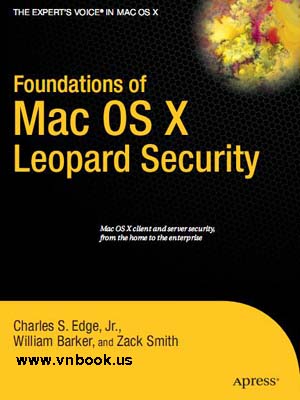
Foundations of Mac OS X Leopard Security

Foundations of Mac OS X Leopard Security is written in part as a companion to the SANS Institute course for Mac OS X. It contains detailed Mac OS X security information, but also walkthroughs on securing systems. By using the SANS Institute course as a sister to the book, the focus includes both the beginning home user and the seasoned security professional not accustomed to the Mac, and allows this title to establish the “best practices” for Mac OS X for a wide audience. Additionally, the authors of the book are seasoned Mac and security professionals, having built many of the largest network infrastructures for Apple and spoken at both DefCon and Black Hat on OS X security.

What you’ll learn
Security overview
Walkthroughs to secure systems
Walkthroughs and suggestions for third–party applications on systems
Mac forensics
Mac hacking
Apple wireless security
Mac OS X security

Download from: Ziddu | Hotfile | Mediafire

Foundations of Mac OS X Leopard Security

Foundations of Mac OS X Leopard Security is written in part as a companion to the SANS Institute course for Mac OS X. It contains detailed Mac OS X security information, but also walkthroughs on securing systems. By using the SANS Institute course as a sister to the book, the focus includes both the beginning home user and the seasoned security professional not accustomed to the Mac, and allows this title to establish the “best practices” for Mac OS X for a wide audience. Additionally, the authors of the book are seasoned Mac and security professionals, having built many of the largest network infrastructures for Apple and spoken at both DefCon and Black Hat on OS X security.

What you’ll learn
Security overview
Walkthroughs to secure systems
Walkthroughs and suggestions for third–party applications on systems
Mac forensics
Mac hacking
Apple wireless security
Mac OS X security

Download from: Ziddu | Hotfile | Mediafire

Microsoft Security Essentials User Manual

Microsoft Security Essentials User Manual is the unofficial user’s manual for Microsoft’s new free anti-malware program. It shows users how to use MSE to safeguard your computer from viruses and spyware, how to download and configure MSE, how to manually scan for malware, how to keep the program updated, and how to schedule regular maintenance.
  • Understand the malware threat
  • Download and install MSE
  • Configure MSE for your system
  • Set up automatic scanning
  • Use real-time protection
  • Configure advanced options
  • Update your copy of MSE
  • Scan your system
  • Learn how automatic scans differ from custom scans
  • View your scanning history and eliminate threat
Download from: Ziddu | Hotfile | Mediafire

Microsoft Security Essentials User Manual

Microsoft Security Essentials User Manual is the unofficial user’s manual for Microsoft’s new free anti-malware program. It shows users how to use MSE to safeguard your computer from viruses and spyware, how to download and configure MSE, how to manually scan for malware, how to keep the program updated, and how to schedule regular maintenance.
  • Understand the malware threat
  • Download and install MSE
  • Configure MSE for your system
  • Set up automatic scanning
  • Use real-time protection
  • Configure advanced options
  • Update your copy of MSE
  • Scan your system
  • Learn how automatic scans differ from custom scans
  • View your scanning history and eliminate threat
Download from: Ziddu | Hotfile | Mediafire

Securing Wireless Communications at the Physical Layer

The book focuses on a recently emerging topic in security. Specifically, the book focuses on physical layer security. Whereas conventional security mechanisms involve cryptography that operates at higher layers of the protocol stack, the methods described in this book secure communications at the physical layer.
The area of physical layer security is an emerging field of research that has seen an explosion of research in the past few years. This trend is only expected to continue as there is a growing need to secure wireless communications without conventional cryptographic network security protocols.
The proposed book will consist of contributions from roughly a dozen of the leading research groups in this emerging area. For the first time, important results will be collected together. Important topics will include the secrecy rate of MIMO wireless systems, practical codes for the dissemination of secrets, and authentication of wireless transmitters using waveform-level properties.

Download from: Ziddu | Hotfile | Mediafire

Securing Wireless Communications at the Physical Layer

The book focuses on a recently emerging topic in security. Specifically, the book focuses on physical layer security. Whereas conventional security mechanisms involve cryptography that operates at higher layers of the protocol stack, the methods described in this book secure communications at the physical layer.
The area of physical layer security is an emerging field of research that has seen an explosion of research in the past few years. This trend is only expected to continue as there is a growing need to secure wireless communications without conventional cryptographic network security protocols.
The proposed book will consist of contributions from roughly a dozen of the leading research groups in this emerging area. For the first time, important results will be collected together. Important topics will include the secrecy rate of MIMO wireless systems, practical codes for the dissemination of secrets, and authentication of wireless transmitters using waveform-level properties.

Download from: Ziddu | Hotfile | Mediafire

Quét virus máy tính trực tuyến siêu tốc

Công cụ trực tuyến ActiveScan cho phép người dùng quét virus trên máy tính với tốc độ khá nhanh, chỉ mất khoảng 5 phút cho một ổ cứng 40 GB với đường truyền 1,5 Mbps.

Rất nhiều máy tính đang sống chung với virus mà người dùng không hay biết. Dịch vụ trực tuyến miễn phí này giúp kiểm tra những mối nguy hại cho máy tính.

Phiên bản Activescan 2.0 cải thiện tốc độ quét đáng kể, điều mà nhiều dịch vụ tương tự chưa làm được. Để bắt đầu quét virus, truy cập vào địa chỉ: http://www.nanoscan.com. Giao diện trang web hiện ra như bên dưới:

Nhấp chuột chọn chế độ quét là Quick scan (quét nhanh) hoặc Full scan (quét toàn bộ).

Khi chọn Quick scan, các ứng dụng đang chạy nền và các thư mục hệ thống sẽ được quét, phân tích hành vi với công nghệ TruePrevent để nhận diện malware chưa được cập nhật. Còn dùng tính năng Full scan, toàn bộ ổ cứng sẽ được quét. Chế độ Other scans dành cho tùy chọn quét chi tiết hơn.

Nhấp nút Scan now để tiến hành quét ngay. Tuy nhiên, nếu đây là lần đầu tiên thực hiện, người dùng sẽ được yêu cầu cài đặt ActiveX như hình dưới:

Đó là thao tác với trình duyệt Internet Explorer. Còn khi thực hiện trên trình duyệt Firefox, một ứng dụng mang tên activescan2_en.exe sẽ được yêu cầu cài đặt.

Bước tiếp theo là quá trình cập nhật dữ liệu cho ActiveScan. Sau khi cập nhật xong, máy tính sẽ được quét virus ngay như hình bên dưới:

Khi quá trình quét hoàn tất 100%, thông tin kết quả sẽ được hiển thị trên trang web:

Nhấp vào dòng chữ Info để xem thêm thông tin về kết quả mà ActiveScan đã phát hiện được để có hướng khắc phục chính xác.

Nguyễn Dũng(vnexpress)

Quét virus máy tính trực tuyến siêu tốc

Công cụ trực tuyến ActiveScan cho phép người dùng quét virus trên máy tính với tốc độ khá nhanh, chỉ mất khoảng 5 phút cho một ổ cứng 40 GB với đường truyền 1,5 Mbps.

Rất nhiều máy tính đang sống chung với virus mà người dùng không hay biết. Dịch vụ trực tuyến miễn phí này giúp kiểm tra những mối nguy hại cho máy tính.

Phiên bản Activescan 2.0 cải thiện tốc độ quét đáng kể, điều mà nhiều dịch vụ tương tự chưa làm được. Để bắt đầu quét virus, truy cập vào địa chỉ: http://www.nanoscan.com. Giao diện trang web hiện ra như bên dưới:

Nhấp chuột chọn chế độ quét là Quick scan (quét nhanh) hoặc Full scan (quét toàn bộ).

Khi chọn Quick scan, các ứng dụng đang chạy nền và các thư mục hệ thống sẽ được quét, phân tích hành vi với công nghệ TruePrevent để nhận diện malware chưa được cập nhật. Còn dùng tính năng Full scan, toàn bộ ổ cứng sẽ được quét. Chế độ Other scans dành cho tùy chọn quét chi tiết hơn.

Nhấp nút Scan now để tiến hành quét ngay. Tuy nhiên, nếu đây là lần đầu tiên thực hiện, người dùng sẽ được yêu cầu cài đặt ActiveX như hình dưới:

Đó là thao tác với trình duyệt Internet Explorer. Còn khi thực hiện trên trình duyệt Firefox, một ứng dụng mang tên activescan2_en.exe sẽ được yêu cầu cài đặt.

Bước tiếp theo là quá trình cập nhật dữ liệu cho ActiveScan. Sau khi cập nhật xong, máy tính sẽ được quét virus ngay như hình bên dưới:

Khi quá trình quét hoàn tất 100%, thông tin kết quả sẽ được hiển thị trên trang web:

Nhấp vào dòng chữ Info để xem thêm thông tin về kết quả mà ActiveScan đã phát hiện được để có hướng khắc phục chính xác.

Nguyễn Dũng(vnexpress)

Hacking Windows Vista: ExtremeTech

Vista is the most radical revamping of Windows since 1995. However, along with all the fantastic improvements, there are a couple of things that likely drive you up the wall. Don’t worry, though—just join forces with author Steve Sinchak and you’ll end up feeling as though Microsoft designed Vista just for you! He shows you how to tweak logon screen settings, build custom Sidebar gadgets, personalize Aero Glass with themes and visual styles, turn your PC into an HDTV media center, fine-tune your firewall, and more.
Download from: Ziddu | Hotfile | Mediafire

Hacking Windows Vista: ExtremeTech

Vista is the most radical revamping of Windows since 1995. However, along with all the fantastic improvements, there are a couple of things that likely drive you up the wall. Don’t worry, though—just join forces with author Steve Sinchak and you’ll end up feeling as though Microsoft designed Vista just for you! He shows you how to tweak logon screen settings, build custom Sidebar gadgets, personalize Aero Glass with themes and visual styles, turn your PC into an HDTV media center, fine-tune your firewall, and more.
Download from: Ziddu | Hotfile | Mediafire